Welcome to Roxy Computers


Visit US
35 Malabar St, Roxburgh Park VIC 3064

Call Us Now
04077 33 333

We are now officially Dell Authorized Partner.
35 Malabar St, Roxburgh Park VIC 3064
We are now officially Dell Authorized Partner.

Tech changes fast. Operating systems get updates all the time, and those updates aren’t just fluff — they keep your files safer and your computer running better. If you’re still on an older version of Windows, upgrading to Windows 11 boosts security and performance by a mile. But let’s be honest: Installing a new operating system isn’t a walk in the park. Compatibility headaches, worries about your files, or quirky software issues can make it more stressful than it needs to be.
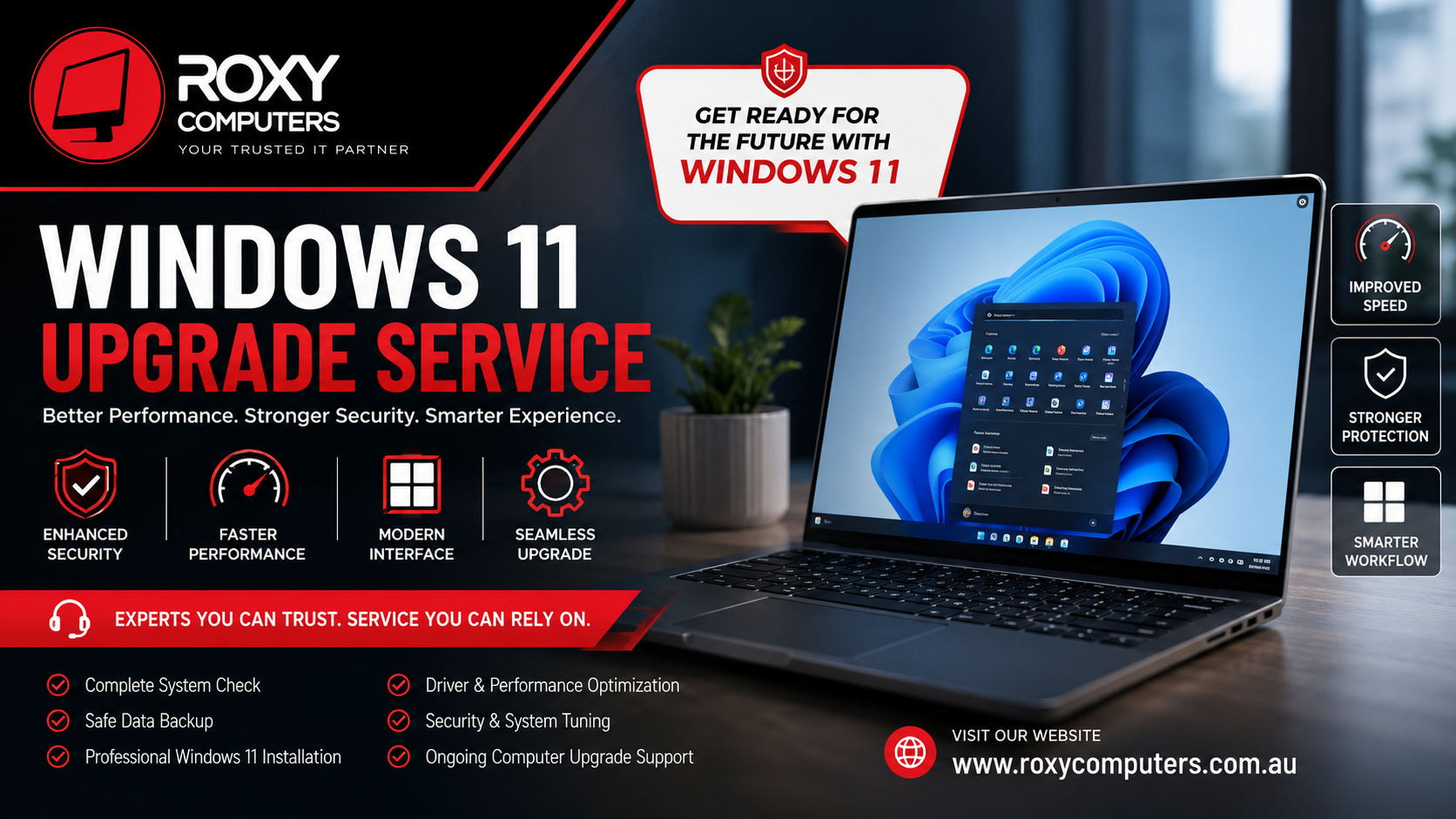
This is where a professional Windows 11 upgrade service really makes a difference. Instead of crossing your fingers and hoping for the best, you get experts who actually check your system, point out any possible problems, and handle the whole upgrade without wrecking your files or putting work on hold.
It doesn’t matter why you use your PC — work, school, binge-watching, or running a business — upgrading to Windows 11 means you get the newest features and keep your computer steady.
Why Waiting on Windows Upgrades Causes Trouble
A lot of people hesitate to upgrade. Maybe you’re worried about losing files or learning a new interface. That’s understandable, but sticking with an outdated system only creates bigger problems down the road. Here’s what often happens when you don’t upgrade:
– New programs stop working, or don’t work right.
– Hackers and viruses target older, unsupported systems.
– Old drivers slow everything down, or features just stop working.
– You miss out on tools in the new Windows that could actually make life easier.
– Your PC crashes more or there’s software chaos because nothing’s really supported anymore.
If you’re still running unsupported Windows, a Windows 11 upgrade service helps you dodge all of that and keeps your PC running smoothly.
What’s New in Windows 11? Real Improvements You’ll Notice
Windows 11 isn’t just a new coat of paint — it adds a lot that actually makes your life easier:
– Security gets a serious upgrade. The system’s better at defending against new cyber threats.
– Performance feels snappier thanks to tweaks under the hood.
– The interface is modern and simpler to use — no hunting around for basic tools.
– Multitasking is easier, like with Snap Layouts for juggling apps.
– New programs are mostly designed for Windows 11, so you’re future-proofed.
But even the best upgrade is only as good as its installation. To really get all the benefits, you need to make sure everything’s set up right — and that’s exactly what a pro handles.
Why Going Pro With Your Windows 11 Upgrade Just Makes Sense
Microsoft gives you the basic tools for upgrading, but that doesn’t mean every computer is actually ready to handle it. There are system requirements, storage limits, drivers, and a bunch of details that can trip you up.
Professional techs start by evaluating your system — they don’t just jump in blind. Here’s what they do:
– Check if your hardware meets Windows 11’s requirements.
– Make sure your processor and TPM chip are compatible.
– Confirm your key programs won’t break when you switch.
– Create reliable backups so you don’t risk losing anything important.
– Update drivers and fine-tune performance before you even notice a problem.
At Roxy Computers, the team double-checks everything so the upgrade is smooth, fast, and doesn’t disrupt your day.
The Risks of DIY Upgrades
Sure, some people manage their own upgrades, but more often than not, they run into headaches like:
– Installers crashing halfway through.
– Missing drivers or devices that stop working.
– Programs that suddenly won’t launch.
– Important files lost because there wasn’t a proper backup.
– Activation errors, leading to a non-genuine Windows warning.
– Sluggish performance because something got skipped.
When you let an expert handle it, they have a plan to avoid those pitfalls. They know the steps and common traps, so you get a working PC at the end.
What You Get With Professional Upgrade Service
Let’s break down what you actually get with a real PC upgrade service:
– A full check to see if your hardware is ready.
– Safe, complete backups so your files are protected.
– Proper installation and activation of Windows 11.
– Driver and hardware tweaks for maximum stability.
– Post-install performance and security optimization.
– Peace of mind, really.
So you enjoy everything Windows 11 offers — minus the stress and guesswork.
Keeping Your Computer Top Shape — Even After the Upgrade
Upgrading is step one. After that, you still need to look after your computer. Regular care keeps it running its best:
– Stay on top of system and security updates.
– Uninstall useless programs eating up memory or storage.
– Run malware scans just in case.
– Keep an eye on storage space.
– Reboot every now and then to keep things fresh.
– If something seems off, don’t wait — call in expert support.
Pairing pro support with these tips keeps your PC reliable for the long haul.
Why Pick Roxy Computers?
Picking the right people for your Windows 11 upgrade is everything. With Roxy Computers, you get:
– Skilled techs who’ve seen every scenario.
– Full system checks and compatibility reviews.
– Safe, secure data backup as priority one.
– A pro install and activation process.
– Personalized advice for your actual needs, not just generic fixes.
– Help when you need it, whether it’s a quick question or a deeper issue.
It’s not just about installing Windows 11. It’s about making sure your computer runs smoothly, safely, and efficiently going forward.
Final Thoughts
Moving to a new operating system is a big deal. If you try to muddle through it alone, little issues can turn into big problems fast. A professional Windows 11 upgrade service ensures you don’t lose files, run into driver nightmares, or deal with performance drops. The right help, from the initial checks to aftercare, means you’ll see all the benefits of Windows 11 immediately — with none of the usual worry.
With Roxy Computers, you don’t just keep up. You get ahead, on a computer that’s ready for tomorrow.
Frequently Asked Questions
Windows 11 brings better security, faster performance, smart new features, and works well with the latest software. It’s a big step up from older versions.
No, not every computer makes the cut. You need a compatible processor, TPM, and enough memory and storage.
Upgrades usually keep your files, but with a professional backup, you don’t have to worry about data loss.
It depends on your computer and how much needs to be configured, but a professional service gets it done faster and smoother.
Techs check all the details, back up your files, solve issues, and tune your system for best performance — so you get the upgrade done right.