Welcome to Roxy Computers


Visit US
35 Malabar St, Roxburgh Park VIC 3064

Call Us Now
04077 33 333

We are now officially Dell Authorized Partner.
35 Malabar St, Roxburgh Park VIC 3064
We are now officially Dell Authorized Partner.
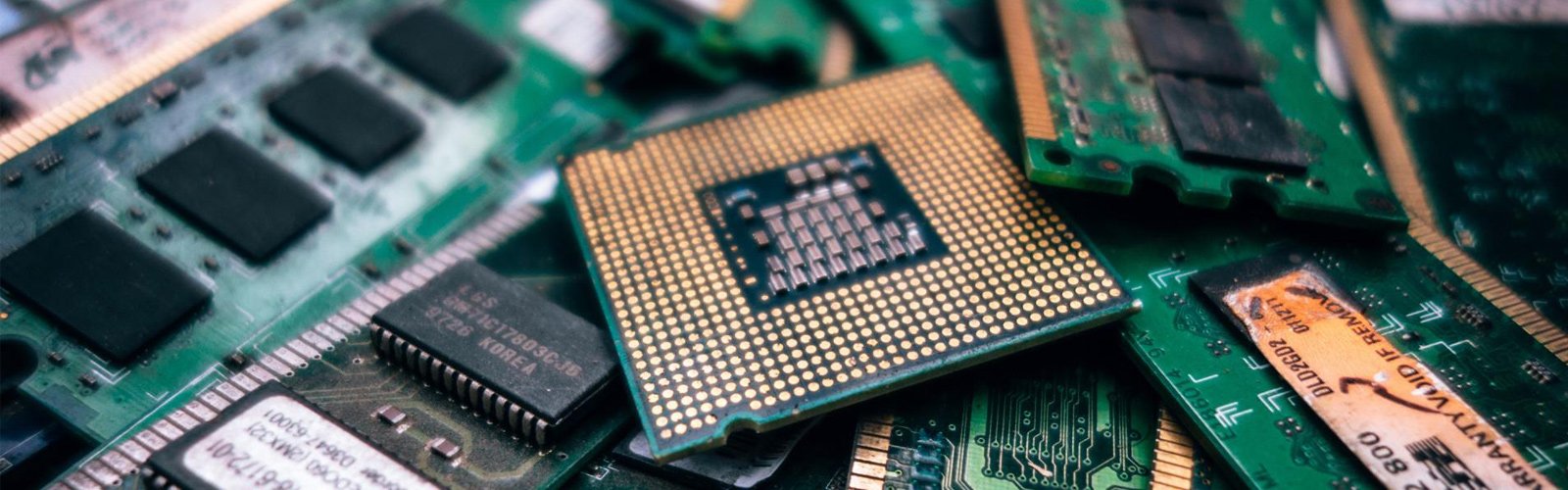

Computers show certain warning signs before they stop working completely. You may notice that the system is suddenly taking longer than usual to open and load files, or that random pop-ups are showing up when you browse. Sometimes, before major failures, programs can crash unexpectedly. Many users take these signs lightly and think that the device is getting old. However, these signs can be the result of hidden malware in the system. If you keep ignoring the signs, it can lead to serious damage.
Identifying and addressing the early signs can help you avoid bigger problems. A proper virus removal PC is not only about eliminating harmful files. It is about having a clear idea of what can infect and affect your personal computer. When you spot the signs early, it gives you more control over performance and privacy. You can save your data from slipping out of hand.
Common Performance Changes That Signal Infection in a PC
The earliest sign you can notice is a sudden drop in performance. Your PC may still turn on and function well to support your daily requirements. But when everything is slower than usual and you start facing sudden disruptions, look for computer virus removal services.
Some concerning signs are:
Your system starts up and shuts down slowly
Programs are crashing and closing unexpectedly
Screens are freezing frequently
You notice loud fan noise
The system is overheating even after basic use
Viruses use the processing power and system memory to run in the background quietly, without you noticing anything. People often mistake the signs for ageing hardware. But if it is about a virus, then your device is still usable just after a proper cleanup. In many situations, a professional virus Removal PC check helps identify what is actually going on so that you can take the necessary measures before the infection spreads further and harms your data.
Warning Signs You Can Notice While Using the Internet
The first signs generally show up when you use the internet. A browser that once worked normally may start redirecting to unfamiliar websites. You might notice pop-ups pushing you to install suspicious software.
Common warning signs include:
Endless advertising pop-ups
Search results directing to the wrong pages
Unknown browser extensions appearing out of nowhere
Security alerts asking for urgent payment
Fake antivirus alerts: Sometimes, malware pretends to be security software and urges the user to download unsafe programs by creating panic messages.
Unexpected account activity: You may notice that your email and other social accounts show unfamiliar logins. This is probably because the malware is already collecting stored passwords.
This is usually the stage where many users start looking for computer virus removal near me. When normal antivirus scans fail to stop suspicious activities, you must contact experts without a second thought.
How Virus Infections Can Put Your Personal Data at Risk
Virus infections do not always damage the device itself. In most cases, the real target is the user’s personal and sensitive information. Passwords, payment details, browsing history, documents, and photographs can be exposed if the malicious software remains active for too long.
Viruses aim to monitor users’ activities quietly. Malware can corrupt files or block access to the system entirely. This is why virus removal PC is important as soon as you notice the signs.
A few risks people often overlook include:
Saved banking and financial information being captured
Work documents becoming inaccessible
Personal accounts getting compromised
Webcam or microphone permissions being misused
This is where professional diagnosis becomes important. Some hidden threats stay active even after basic antivirus scans show positive results. Roxy Computers helps by checking hidden background activity, identifying affected areas, and running a thorough cleanup. Professionals make sure that the infection doesn’t return after removal.
When Professional Virus Removal PC Makes More Sense
For smaller security threats, you can go with basic antivirus software. But you never know, malware can be hidden inside system folders. In such situations, you need an advanced cleanup process to restore your system and prevent the same issues from happening repeatedly.
A proper cleanup usually involves these steps:
System-Wide Threat Scanning: It checks the computer beyond visible files, mainly to detect hidden malware, suspicious programs and activities.
Browser and Startup Cleanup: In this stage, harmful extensions, hidden startup programs, and unknown toolbars are removed. This stops repeated pop-ups and redirects.
Removal of Damaged or Unsafe Files: Infected files and suspicious applications are cleared out of the system carefully without affecting important documents.
Security and Software Checks: Existing antivirus tools, system settings, and software updates are reviewed to understand if there is a gap for the virus to enter.
Performance and Stability Review: After a thorough cleanup, the system is tested to make sure it runs without freezing, crashing, or unusual slowdowns.
If you are searching for pc virus removal near me, you might be already dealing with recurring issues that make your PC feel unstable. Expert computer technicians not only remove visible infection, but also check if your personal information has been compromised during the process.
Signs of virus infection in computers appear slowly with small changes in speed and system behaviour. If left unchecked, small disruptions can turn into major privacy risks. Professionals at Roxy Computers find out the full extent of the issue so the system can be cleaned and monitored more effectively afterwards.
Frequently Asked Questions (FAQs)
1. What are the first signs of a computer virus?
Slow performance, random pop-ups, browser redirects, and freezing programs are common early signs of a computer virus.
2. Can a virus make a computer slower?
Yes. Malware often runs in the background and uses system resources, which affects speed and responsiveness.
3. Is free antivirus software always enough?
Not always. Some infections hide deeply in the system and require manual inspection and removal.
4. How long does virus removal usually take?
It depends on the severity of the infection. Minor issues may take hours, while deeper infections can take longer.
5. Can malware steal personal information?
Yes. Certain viruses are designed to collect passwords, payment details, and other sensitive information silently.