Welcome to Roxy Computers


Visit US
35 Malabar St, Roxburgh Park VIC 3064

Call Us Now
04077 33 333

We are now officially Dell Authorized Partner.
35 Malabar St, Roxburgh Park VIC 3064
We are now officially Dell Authorized Partner.
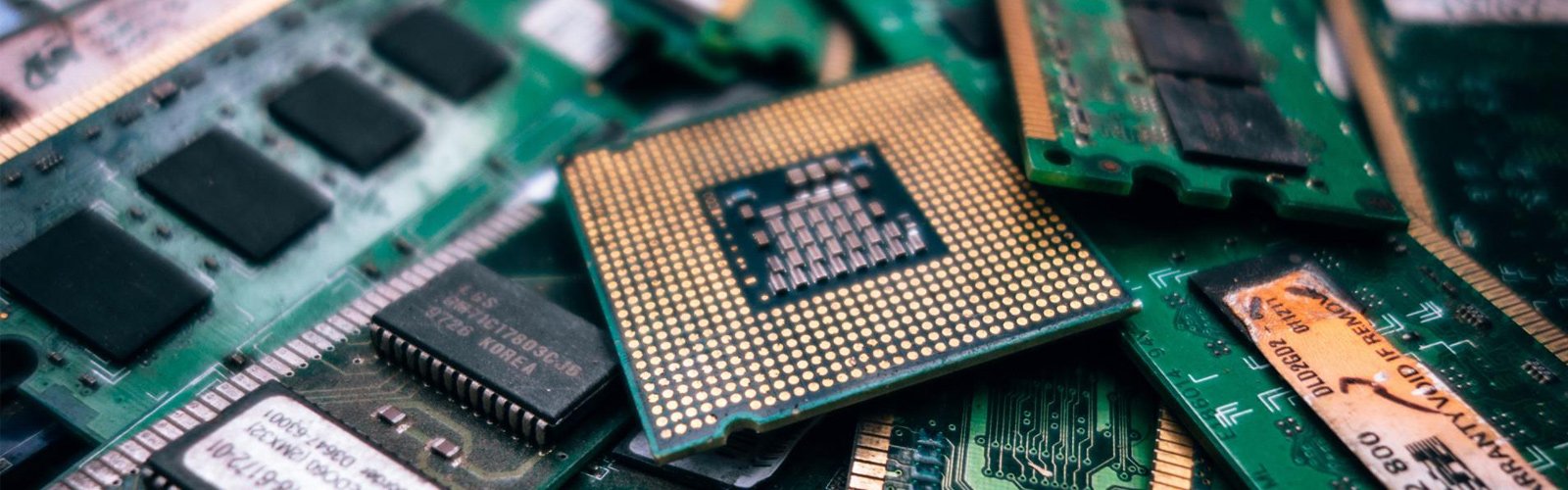


A laptop is an essential tool for work, study, business, and everyday communication. However, accidental drops, pressure on the display, liquid spills, and everyday wear can damage the screen and affect how the device performs. A cracked display, flickering screen, unusual lines, or a completely black screen can make even simple tasks difficult.
Taking the right precautions can help reduce the risk of further damage and extend your laptop’s lifespan. If your device already has display problems, professional Laptop Screen Repair Melbourne services can help identify the cause and determine whether the screen needs repair or replacement.
At Roxy Computers, users can seek guidance on laptop issues and suitable repair options. This guide explains practical ways to protect your laptop screen, recognise warning signs, and understand when professional assistance may be necessary.
Accidental physical damage is one of the common reasons laptop screens need attention. Even a small drop or sudden impact can crack the display or damage internal components.
Follow these precautions to protect your device:
Always close the lid gently rather than allowing it to snap shut. These small habits can help prevent unnecessary pressure on the screen and reduce the likelihood of requiring Laptop Screen Repair Melbourne services.
Carrying your laptop without adequate protection increases the risk of scratches, pressure damage, and accidental impacts. A suitable laptop bag or padded sleeve provides an additional layer of protection during travel.
When selecting a laptop bag, consider the following features:
Before placing your laptop inside the bag, make sure it is completely closed and has cooled down. Avoid putting sharp objects or heavy items in the same compartment.
Dust, fingerprints, and other marks can affect screen clarity. However, using unsuitable cleaning products or applying too much pressure can damage the display surface.
To clean your laptop screen safely:
Never spray cleaning liquid directly onto the display. Avoid abrasive cloths, household glass cleaners, and excessive moisture unless the manufacturer specifically approves the product.
Regular, gentle cleaning helps maintain screen visibility and reduces the risk of damage caused by improper maintenance.
Laptop screens are delicate, even when they appear sturdy. Excessive pressure can damage the display panel, create dark spots, or cause lines to appear.
Do not rest your hands or elbows on the closed laptop. Avoid stacking objects on top of it, and never place it at the bottom of a heavily packed bag.
You should also avoid inserting pens, earphones, or other small objects between the keyboard and screen before closing the lid. Even a small object can put concentrated pressure on the display and cause cracks.
If your screen develops dark patches, coloured lines, or visible cracks after pressure has been applied, consider arranging a professional inspection. A technician can determine whether the display panel or another component is affected.
The hinges support the screen and help it move smoothly. Forcing the lid open or closing it unevenly can place additional stress on the hinges and surrounding display components.
Use these simple practices:
Damaged hinges can sometimes place pressure on display cables or the screen assembly. Addressing hinge problems early may help prevent more extensive repairs.
Excessive heat and liquid exposure can affect laptop components, including those connected to the display.
Keep your laptop away from direct sunlight, heaters, and other strong heat sources. Use it on a hard, flat surface so that ventilation openings remain unobstructed. Avoid working with drinks positioned directly beside the device.
If liquid spills onto your laptop, turn it off immediately if it is safe to do so, disconnect the power supply, and avoid turning it back on to test whether it works. Seek professional advice promptly. Do not use a hairdryer or apply direct heat to dry the device.
Liquid exposure can cause internal corrosion even when the screen initially appears normal.
Not every display problem begins with a visible crack. Some issues develop gradually, while others appear after an impact or sudden change in how the laptop is handled.
Watch for these warning signs:
These symptoms may result from a damaged display panel, a loose or faulty display cable, graphics-related problems, or other hardware issues. A proper diagnosis is important because the screen may not be the only possible cause.
If you notice these problems, avoid pressing the affected area or repeatedly opening and closing the lid. Professional Laptop Screen Repair Melbourne assistance can help establish the cause and identify the appropriate next step.
A damaged screen does not necessarily mean your files have been lost. In many cases, the laptop’s storage remains unaffected. However, backing up important documents, photographs, and business files is a sensible precaution before arranging a repair.
If the laptop still works safely, back up your files to an external drive or trusted cloud storage. If the screen is unusable, ask a technician about safe data access options.
Do not continue using a laptop that shows signs of electrical damage, liquid exposure, overheating, or a swollen battery simply to complete a backup. Device safety should come first.
Before handing over your laptop, ask the repair provider whether your files should remain accessible, whether any testing could affect stored data, and what privacy precautions you should take.
When screen damage occurs, the correct solution depends on your laptop’s make, model, display type, and the nature of the fault. Some problems require a screen replacement, while others may involve a display cable, hinge, connector, or software issue.
Professional assessment can help you avoid purchasing an incorrect replacement panel or attempting a repair that could cause further damage.
When choosing a repair provider, consider asking:
Roxy Computers provides a starting point for users seeking computer repair assistance. Visit Roxy Computers to enquire about your laptop screen issue and discuss suitable repair options.
Before approving any work, request a clear explanation of the recommended repair and its expected cost.
Protecting your laptop screen is easier when careful handling becomes part of your daily routine. Store the device securely, clean it correctly, avoid unnecessary pressure, and inspect the hinges and display for changes.
You can also reduce the risk of accidental damage by keeping your workspace organised, using a stable laptop stand where appropriate, and transporting the device in a padded bag.
If you regularly travel with your laptop, check that the screen is free from objects before closing the lid. Small preventive steps can help reduce avoidable repair expenses.
Yes, many cracked laptop screens can be replaced. The exact solution depends on the laptop model, display assembly, and extent of the damage. A technician can inspect the device and explain the available options.
Flickering can be caused by display drivers, refresh-rate settings, a faulty display cable, or a damaged screen panel. If the issue continues after basic software checks, professional diagnosis may be necessary.
If the damage is minor and the laptop operates normally, limited use may be possible. However, avoid pressing the damaged area, and stop using the device if you notice overheating, electrical issues, liquid exposure, or battery swelling.
The cost depends on the laptop brand, model, screen specifications, component availability, and whether additional parts are damaged. Contact a repair provider with your exact model details for a more accurate estimate.
Some experienced users may be able to replace certain screens, but the process can involve delicate cables, adhesive, and fragile components. Incorrect installation may cause further damage. If you are unfamiliar with laptop hardware, professional repair is generally the safer option.
Use a padded laptop bag, keep accessories in separate compartments, avoid placing heavy objects on the device, and ensure the laptop is securely closed before carrying it.
Protecting your laptop screen begins with careful handling, proper storage, safe cleaning, and regular attention to warning signs. Avoiding pressure, heat, and liquid exposure can help reduce the risk of display damage and keep your device in better condition.
If your laptop develops cracks, flickering, black spots, or other display problems, do not ignore the symptoms or attempt a repair without the necessary experience. Professional Laptop Screen Repair Melbourne services can help identify the issue and determine the most appropriate solution.
For assistance with your laptop, contact Roxy Computers through https://www.roxycomputers.com.au/ to discuss your device and available repair options.